Bookings
How to Reduce No-Shows with WhatsApp Appointment Reminders
A WhatsApp reminder schedule for Calendly bookings: confirmation, 24-hour and 1-hour reminders and follow-ups, with ready-to-use templates.
By the Repeat Grow team · · 8 min read
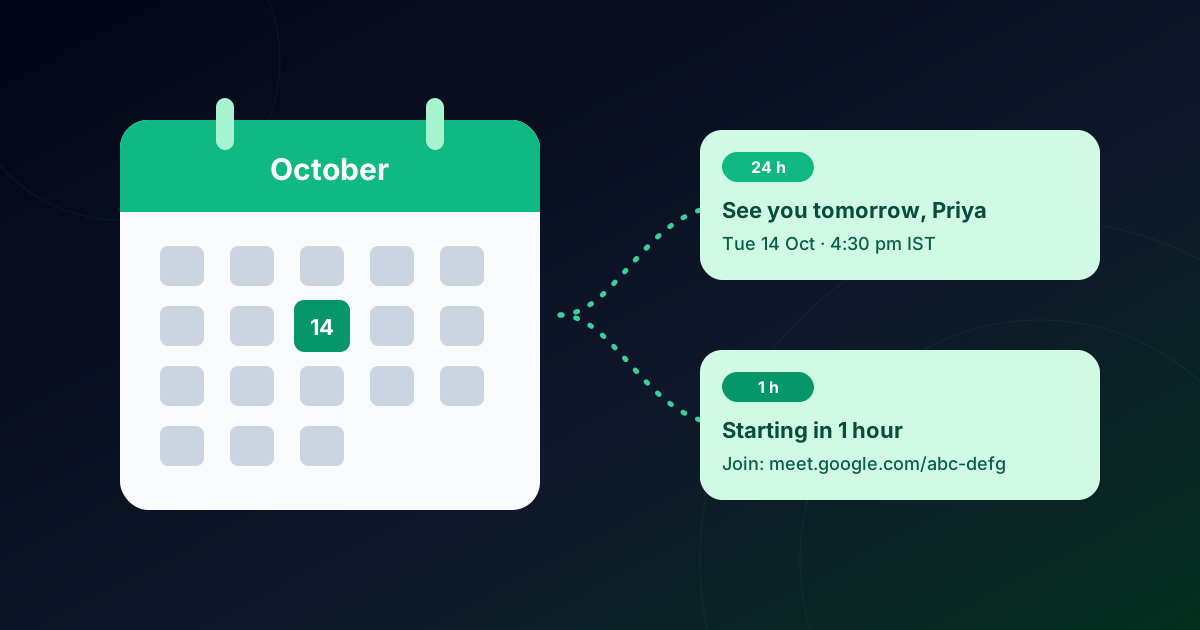
An empty slot costs the same as a full one: the room, the staff, the time you blocked out. Most no-shows aren't rude; people simply forget, or meant to reschedule and never got round to it. A short, well-timed reminder on the app they check most fixes a large share of that. Here's a reminder schedule you can use for any booking, the exact WhatsApp templates, and how to automate it for Calendly bookings.
Why people miss appointments
- They forgot. The booking was made a week ago, between other things.
- Plans changed and cancelling felt like more effort than not turning up.
- They couldn't find the details: the meeting link, the address, the time in their time zone.
Each of these has a fix: a timely nudge, an easy reschedule link, and the details in one message they can find in seconds.
The reminder schedule that works
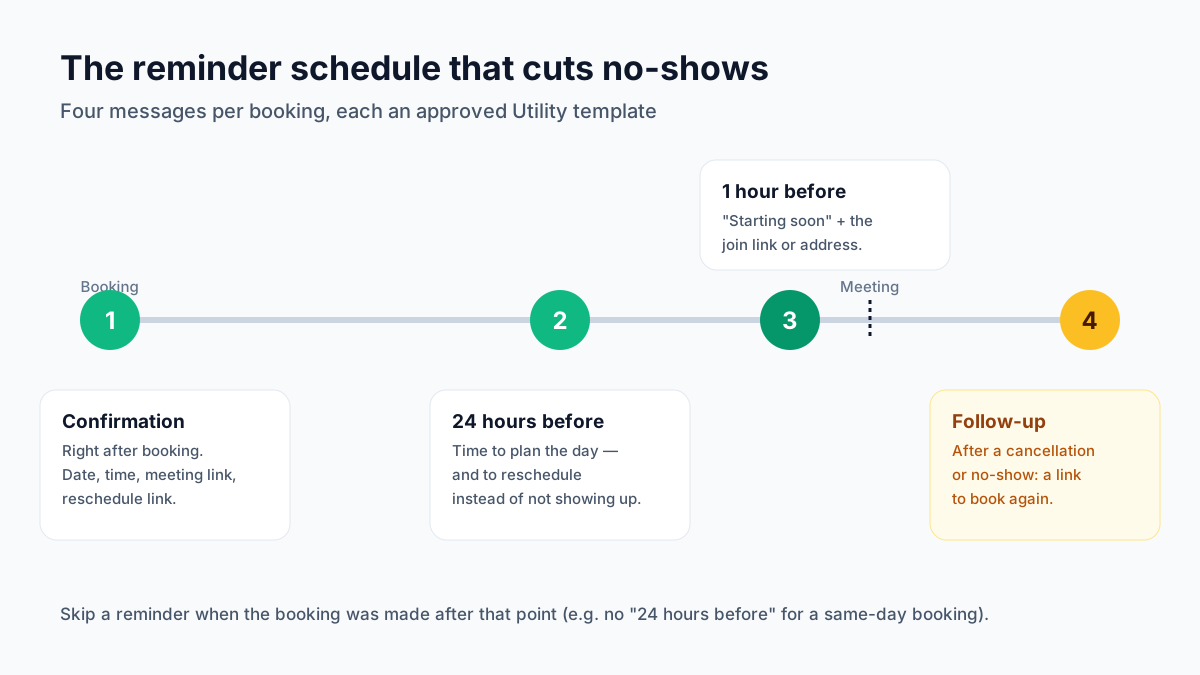
- Confirmation, right after booking. Date, time, meeting link or address, and a reschedule link.
- 24 hours before. Gives people time to plan the day, and makes rescheduling the easy option instead of silently not showing up.
- 1 hour before. “Starting soon” plus the join link or address. this catches the people who simply forgot.
- Follow-up after a cancellation or no-show. A friendly note with a link to book again recovers appointments you would otherwise lose.
Reminder templates you can copy
These are Utility templates. They're about a booking the customer made. Keep them short, and always include the time and a way to reschedule.
booking_confirmedUtility
reminder_24hUtility
reminder_1hUtility
missed_followupUtility
In Repeat Grow each variable maps to a booking value: invitee name, meeting name, date, time (in the invitee's time zone), meeting link or location, host, reschedule and cancel links, and your booking page.
Collect the phone number at booking
A reminder can only go to a number you have. Calendly doesn't ask for a phone number by default, so add a booking question of type Phone number. Label it “WhatsApp number” so people know why you're asking. Turning on Calendly's text reminders also collects a number. Numbers saved without a country code get your default (for example +91) added automatically.
Who this works for
- Clinics and therapists: fewer empty slots, and patients arrive with the right details.
- Coaches, tutors and online classes: the join link arrives an hour before, in the app they're already using.
- Salons and studios: rescheduling becomes a tap instead of a no-show.
- Real estate and sales demos: site visits and calls happen on time.
How to set it up with Calendly and Repeat Grow
- Connect WhatsApp on the official WhatsApp Business API in Repeat Grow (Settings → WhatsApp).
- Create the templates above in Settings → Templates (Utility) and wait for Meta's approval.
- Add the phone question to each Calendly event type.
- Connect Calendly: in Calendly go to Integrations → API & Webhooks, generate a personal access token, and paste it in Repeat Grow → Settings → Calendly. The booking webhooks are set up for you.
- Map the messages: switch on confirmation, rescheduled, cancelled, no-show and the 24-hour and 1-hour reminders, pick each template, and press Send test.
Reminders are skipped for cancelled meetings and for bookings made after the reminder point, and every message lands in your shared inbox, so when a customer replies “running 10 minutes late”, your team sees it. Details are in the Calendly section of the Help Center.
Mistakes to avoid
- Too many reminders. Two before the meeting is plenty; more starts to feel like spam.
- No reschedule link. If changing the time is hard, people just don't come.
- Wrong time zone. Always show the time in the customer's time zone.
- Mixing in promotions. Keep reminders about the appointment; send offers separately, as Marketing templates, only to people who opted in.
Frequently asked questions
How far in advance should I send an appointment reminder?
A reminder 24 hours before gives people time to plan or reschedule, and a second reminder 1 hour before (with the meeting link or address) catches the ones who forgot. Send a confirmation right after booking as well.
Are appointment reminders Utility or Marketing templates?
Confirmations, reminders and reschedule notices about a booking the customer made are Utility templates. Promotional messages, like a discount on the next visit, are Marketing.
Does Calendly send WhatsApp reminders itself?
Calendly can send email and SMS reminders on some plans, but WhatsApp reminders need a WhatsApp Business API sender. Repeat Grow listens to Calendly booking webhooks and sends the WhatsApp messages from your own business number. Calendly webhooks require a paid Calendly plan.
What time zone are reminders sent in?
Reminders are scheduled from the meeting’s start time, and the date and time inside the message use the invitee’s own time zone, so a customer in Dubai sees their local time.
What if someone books an hour before the meeting?
Then the 24-hour reminder is skipped. They just booked, and the confirmation has the details. Good reminder systems only send a reminder if the booking was made comfortably before that reminder point.