WhatsApp API
WhatsApp Business Voice Calling: How Customers Can Call Your Team
How WhatsApp Business calling works: customer calls ring every agent in the browser, call-back permission, Meta requirements and costs.
By the Repeat Grow team · · 6 min read
A lot of customers would rather talk than type, especially for urgent problems or bigger purchases. WhatsApp's business calling lets them call your WhatsApp number directly, and your team can answer from the same place they already handle chats. Here is how it works, what Meta requires and how to turn it on.
What WhatsApp business calling is
Meta's Calling API lets a business receive and place voice calls on its WhatsApp Business API number. Instead of handing out a separate phone number, customers tap the call icon in your WhatsApp chat or profile. In Repeat Grow the calls are handled in the browser, next to the conversation, contact details and deal history.
How a call reaches your team
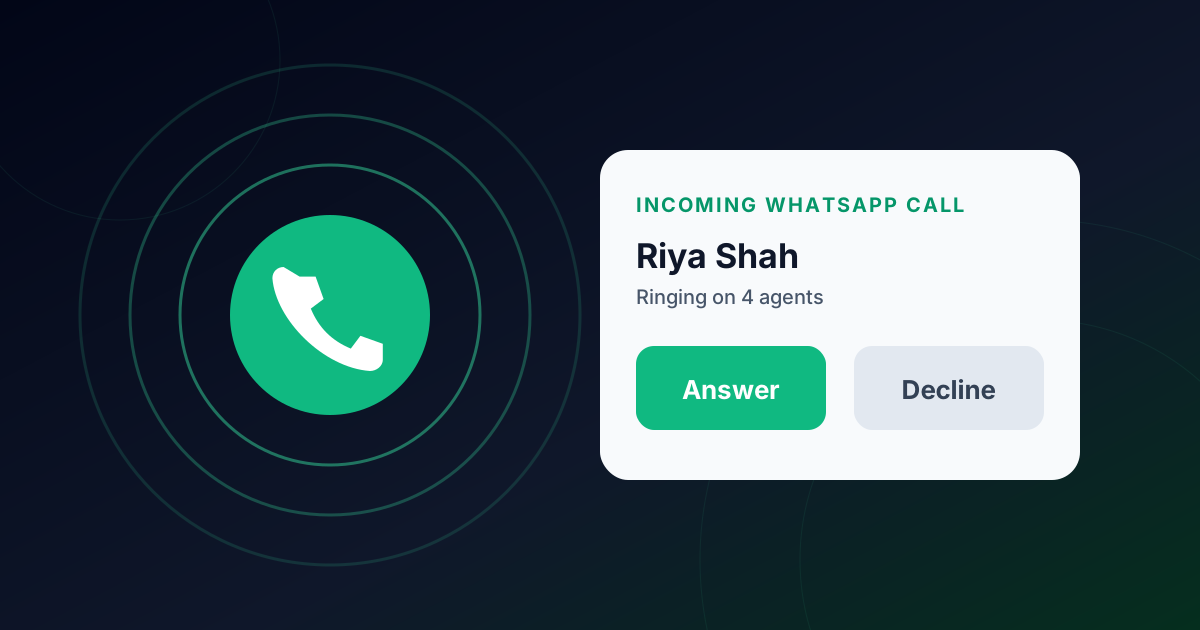
- A customer calls your WhatsApp number. Every agent's browser rings with an incoming-call card and a ringtone, on any page of the app.
- The first agent to press Answer takes the call. The others stop ringing, so two people never pick up the same call.
- The agent sees the customer's chat and notes, can mute, hang up, and watches a live timer.
- Afterwards the call appears under Recent calls in the contact panel.
Calling customers back
Agents use the Call button in the chat header. WhatsApp requires the customer's consent for business-initiated calls: if they have not allowed calls, the button sends a call permission request instead, and you can call once they accept. Meta allows 1 permission request a day and 2 a week per customer, so use them when it matters.
Requirements from Meta
- The number is on the Cloud API.
- The number has a messaging limit of 2,000 customers a day or more.
- The calls webhook field is subscribed in the Meta App Dashboard.
- Agents use a browser with WebRTC (Chrome, Edge, Safari or Firefox) and allow the microphone.
What it costs
Calls the customer starts are free. Calls the business starts are billed per minute by Meta and need the customer's permission. Repeat Grow does not add a charge for calling.
How to turn it on in Repeat Grow
- Apply the calling migration (self-hosters) and connect your WhatsApp number.
- In the Meta App Dashboard, open WhatsApp → Configuration and subscribe to the calls webhook field.
- In Repeat Grow go to Settings → WhatsApp → WhatsApp calling and switch it on (admins only).
- If Meta says calling is not enabled for the number, the card explains why, for example the messaging limit or a Cloud-API-only requirement, instead of showing an error.
More detail is in the shared inbox section of the Help Center. If your number isn't on the official API yet, start with how WhatsApp Business API verification works.
Limits to know about
- Strict office networks can block WebRTC audio. Repeat Grow uses public STUN only, with no TURN server.
- Calls are not recorded by default. Switch on AI call notes during a call to get a summary and to-dos saved to the contact automatically.
- Permission requests are rationed by Meta (1 a day, 2 a week per customer).
Frequently asked questions
Do customers need to install anything to call my business?
No. They call from your business profile in WhatsApp like any other contact. Your agents need only a browser and a microphone.
Are calls recorded?
Not by default. Audio goes directly between the agent’s browser and Meta. If an agent switches on AI call notes for a call, the agent’s browser records it so AI can write a summary and to-dos; the recording is used once for the notes and not kept. Tell the customer when you turn it on.
Do I need a phone line or a SIM?
No. Calls are handled over the internet in the browser (WebRTC), through the number that is connected to the WhatsApp Business API.
Can I call a customer who has never contacted me?
Only with permission. If the customer has not allowed calls, the Call button sends a WhatsApp call permission request instead. Meta limits these to 1 request a day and 2 a week per customer.
Why can’t I turn calling on?
Usually the number is not yet on the Cloud API, its messaging limit is below 2,000 customers a day, or the calls webhook field is not subscribed. Repeat Grow shows the reason in plain words next to the switch.