WhatsApp API
WhatsApp Service Messages Are No Longer Free: What Changed on 1 October 2026
Since 1 October 2026 Meta charges for replies inside the 24-hour window. What is billed now, what is still free, and how to keep your bill down.
By the Repeat Grow team · · 6 min read
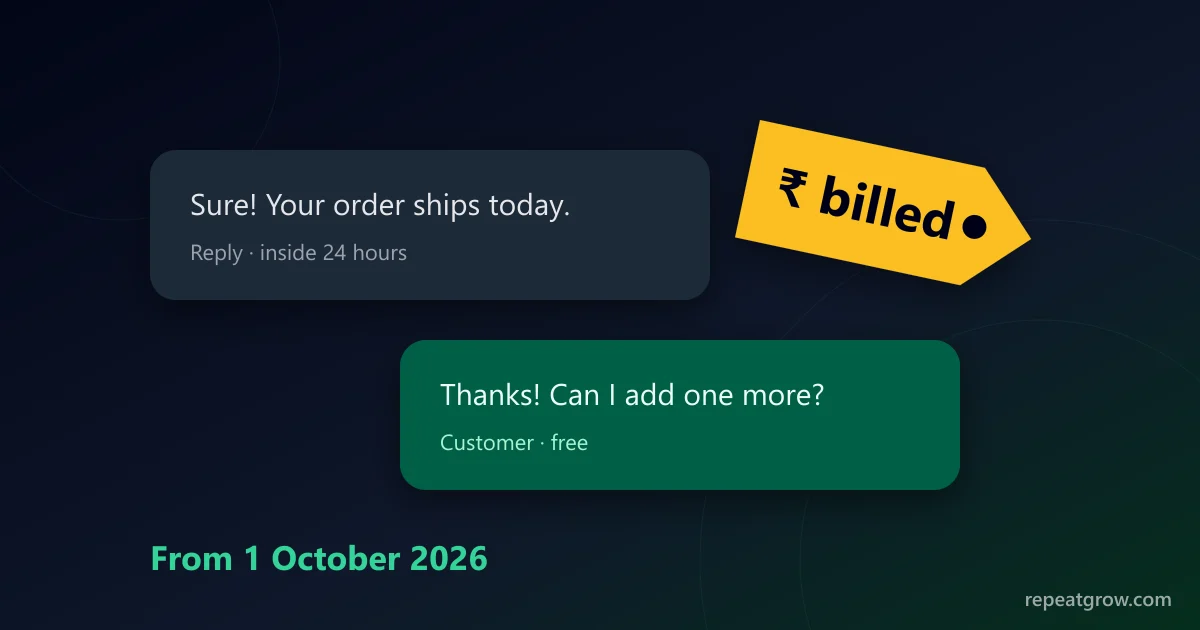
For more than a year, replying to customers on the WhatsApp Business API cost nothing as long as the customer had written to you in the last 24 hours. That ended on 1 October 2026. Meta now charges for service messages too. If your team answers a lot of chats, your WhatsApp bill is about to look different. Here is what changed, what is still free, and how to keep costs under control.
What changed on 1 October 2026
WhatsApp has charged per message since July 2025: each delivered template is billed by category (marketing, utility or authentication) and by the customer's country. Until 30 September 2026, two kinds of message inside the 24-hour customer service window were free:
- Free-form replies: the normal text, images and documents your agents or chatbot send while the chat is open.
- Utility templates sent while that window was open.
From 1 October 2026 both are billed per message, at the utility rate of the customer's country. Many providers, including Zoho, SendPulse, YCloud and AiSensy, published notices about the change in September and October 2026.
What is billed and what is still free
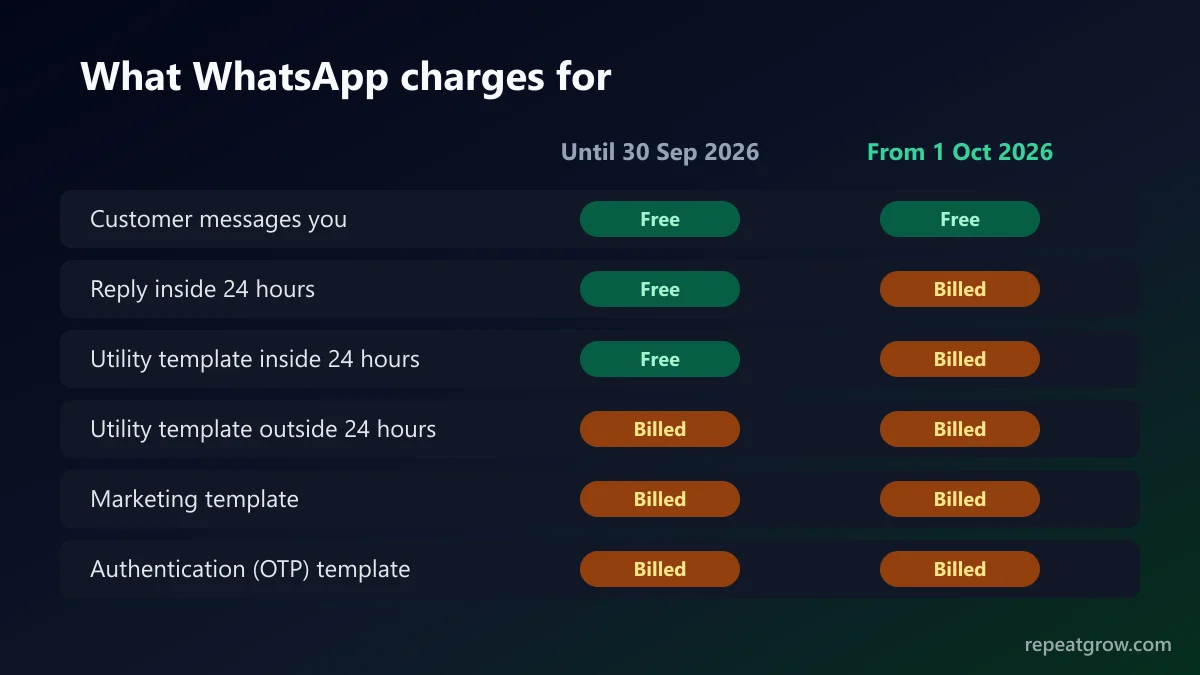
| Message | Before 1 Oct 2026 | From 1 Oct 2026 |
|---|---|---|
| Messages customers send you | Free | Free |
| Free-form reply inside 24 hours | Free | Billed, utility rate |
| Utility template inside 24 hours | Free | Billed, utility rate |
| Utility template outside 24 hours | Billed | Billed |
| Marketing template | Billed | Billed |
| Authentication (OTP) template | Billed | Billed |
| Chats started from a click-to-WhatsApp ad | Free window | Free window (reported unchanged) |
How much a service message costs
A service message costs the same as a utility message for the customer's country, and that is one of the cheapest categories. Marketing messages stay the most expensive. Meta publishes the exact rates per country and updates them a few times a year, so take the current number from Meta's WhatsApp pricing page rather than from a blog post, including this one. Rates are in the currency of your WhatsApp Business Account, and taxes are added on top.
Some providers say each business gets a number of free service messages every month; others say there is no free allowance. Until Meta's rate card for your account shows one, budget as if every reply is billed.
A worked example for a small business
Say an online store handles 600 customer chats a month in India, and an agent sends about five replies per chat. That is 3,000 replies a month that were free in September and are billed from October. Multiply 3,000 by the current Indian utility rate on Meta's rate card and you have the new monthly cost. For most small Indian businesses this is a few hundred rupees a month: noticeable, but much smaller than the cost of marketing broadcasts. A support-heavy team with tens of thousands of replies should plan for it properly.
Seven ways to keep the bill down
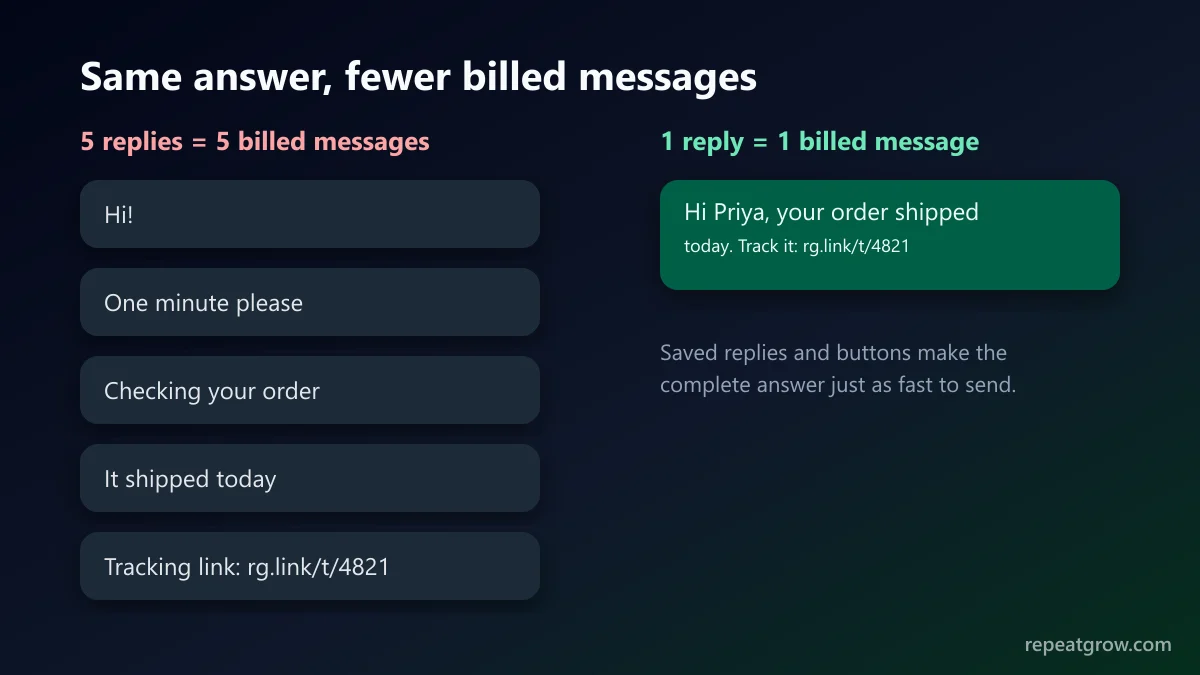
- Answer in one message, not five. Every bubble is now a billed message. Teach agents to send one complete answer instead of “Hi”, “one minute”, “checking” and so on.
- Use quick replies and saved answers so complete answers are as fast to send as short ones.
- Send links to tracking pages instead of manual status updates in chat.
- Use interactive buttons and lists. One message with three buttons replaces a back-and-forth of several messages.
- Do not auto-reply to every message. A “thanks, we got your message” bot reply now costs money each time. Keep away-messages for outside business hours only.
- Move broadcasts to utility where they really are utility. Order, booking and account updates are utility; offers are marketing. Do not dress up an offer as a utility template, as Meta will recategorise or reject it.
- Watch the numbers weekly. Check sent messages per conversation for each agent, and look for bots or automations that loop.
How Repeat Grow handles it
Repeat Grow is a WhatsApp CRM on the official WhatsApp Business API. Meta bills message fees directly to your WhatsApp Business Account, with no markup from us. The shared inbox has saved replies, interactive buttons and lists, and business-hours rules for auto-replies, so your team answers in fewer messages. See plans and pricing, or read how template categories decide what you pay for broadcasts.
Frequently asked questions
Are WhatsApp service messages still free in 2026?
No. From 1 October 2026 Meta charges for free-form replies a business sends inside the 24-hour customer service window. They are billed per message at the same rate as utility messages for the customer’s country.
Do I pay when a customer messages me?
No. Messages customers send to you are not charged. You pay for the messages your business sends.
Are click-to-WhatsApp ad chats still free?
Providers report that the free entry-point window from click-to-WhatsApp ads and Facebook Page call-to-action buttons is unchanged. Check Meta’s pricing page for the current rules in your country.
Is there a free monthly allowance of service messages?
Some providers say there is, others say there is not. Treat every reply as billable when you budget, and check the current rate card on Meta’s WhatsApp pricing page.
Who bills me for these messages if I use Repeat Grow?
Meta bills WhatsApp message fees directly to the payment method on your WhatsApp Business Account. Repeat Grow’s plan price does not add a markup on Meta’s message fees.